<?xml version='1.0' encoding='utf-8' ?>
<?xml-stylesheet type="text/xsl" href="header_e.xsl" ?>
<body PageTitle="'Wirtualne modelarstwo' - abstract" PageHeader="Tutorials" Created="2009-09-12" Updated="2011-02-10">
<divf>
<table cellSpacing="0" cellPadding="0pt" align="right">
	<tr align="center" valign="top">
		<td>
			<a href="images/wm/back-l.jpg" title="see enlarged...">
				<IMG width="200px" src="images/wm/back.jpg" align="left" />
			</a>
		</td>
		<td>
			<a href="images/wm/wm-l.jpg" title="see enlarged...">
				<IMG width="200px" src="images/wm/wm.jpg" align="left" />
			</a>
		</td>
	</tr>
	<tr align="center" valign="top" >
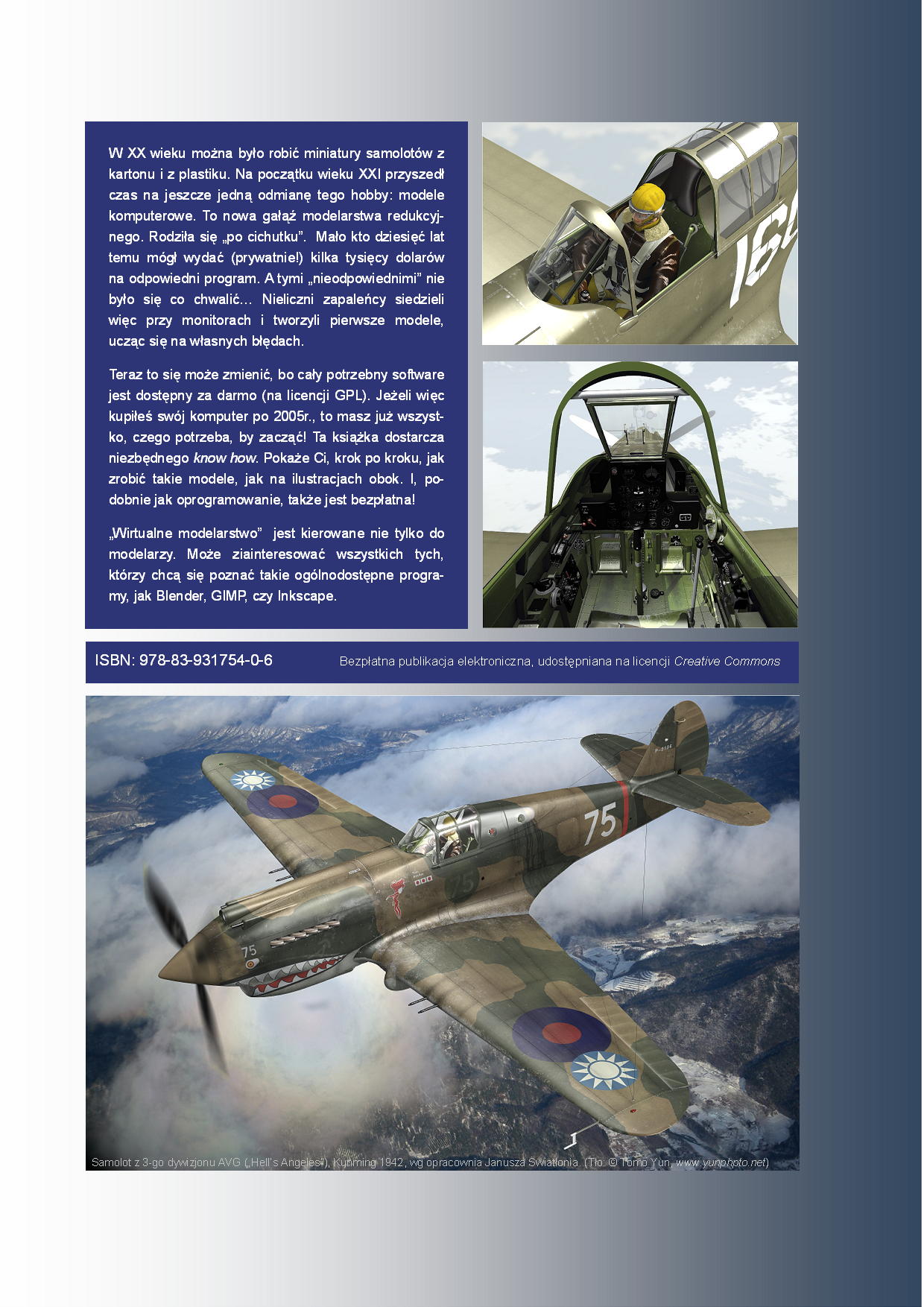
		<td><spanl>Back cover</spanl></td>
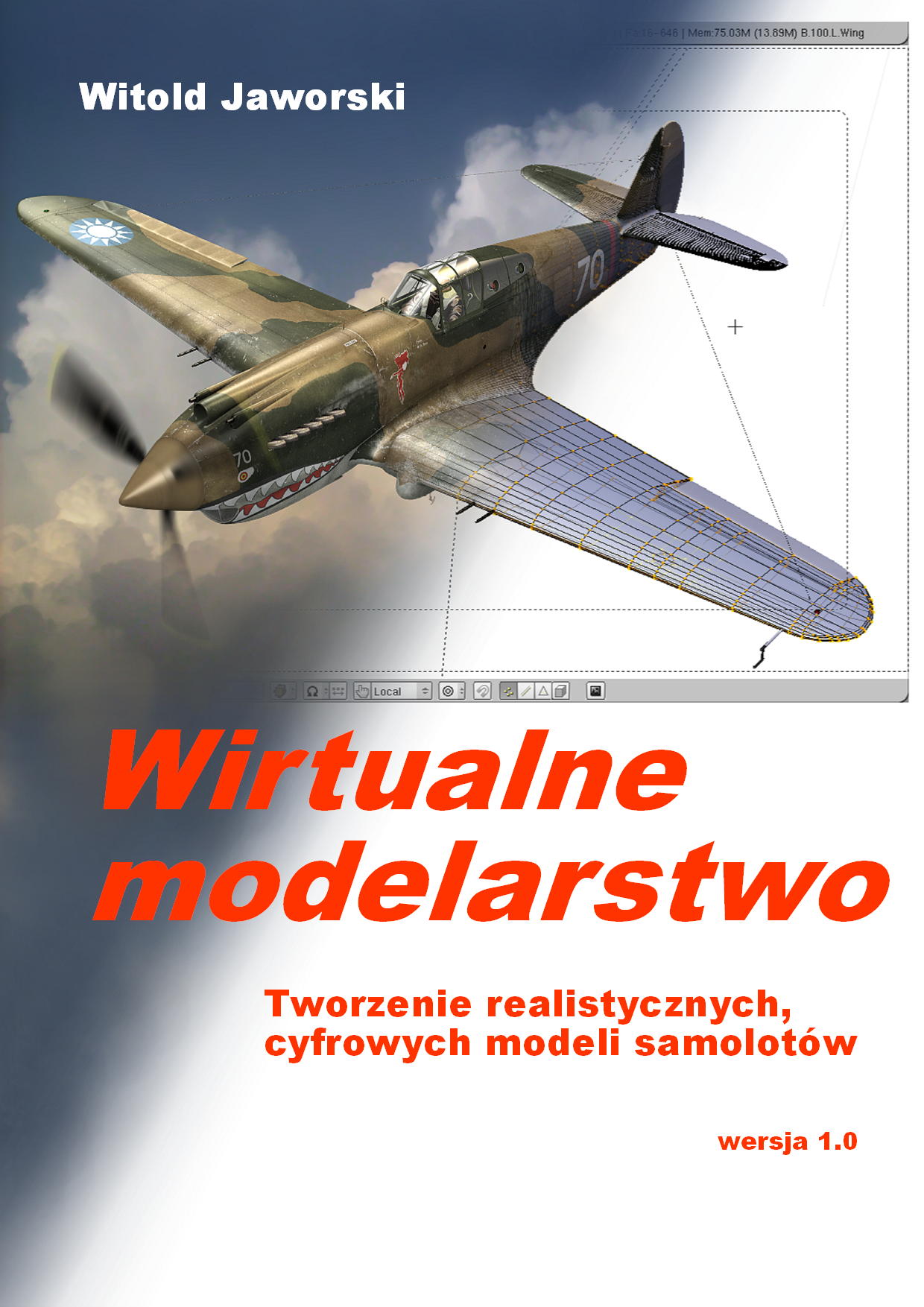
		<td><spanl>Front cover</spanl></td>
	</tr>
</table>
<p/>
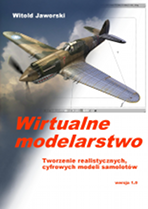
<b>"Wirtualne modelarstwo"</b> is a free e-book, published on Creative Commons license. 
The same rules apply to the models and scripts, attached to it.
<br/>
I have restricted the right to translate it to any other language: it requires my written permission.
<p/>
The table below contains a few sentences about each chapter of this book. They allow you to find out,
what this publication contains. Because it is mainly build from the pictures, it can be still usable to some extent,
regardless its language. (It is not the same like the real translation to English, of course).
You can download <a href="downloads/wm/wm.pdf">whole book</a> (63 MB), or downlad its fragments 
- from links, placed in the table below. (These fragments have pictures of better quality).
<p/>
</divf>
<divf/>
<div>.</div>
<div style="left-margin:0pt">
<table cellspacing="0" cellpadding="5pt" width="95%">
<tr align="center" valign="top">
	<td class="framed" width="156px"><b>Exemplary page<br/>from the chapter</b></td>
	<td class="framed" align="left" width="65%"><b>Chapter</b></td>
	<td class="framed" width="20%"><b>File with the fragment</b></td>
	<td class="framed right" width="50pt"><b>File size</b></td>
</tr>
<tr align="center">
	<td class="framed" valign="top">
		<A href="downloads/wm/01_toc.pdf" title="download 01_toc.pdf file (0.3 MB)">
			<IMG src="images/wm/toc.png" align="center" />
		</A>
	</td>
	<td class="framed" align="left" valign="top">
		<b><u>Cover page and the table of contents</u></b>
		<p/>
		<span>
		There is a rendered model, made from this book, on its cover page. This is the ultimate "proof"
		of this publication. If you like it, then the information inside may be also interesiting!
		</span>
	</td>
	<td class="framed"><A href="downloads/wm/01_toc.pdf">01_toc.pdf</A></td>
	<td class="framed right">0.5 MB</td>
</tr>
<tr align="center">
	<td class="framed" valign="top">
		<A href="downloads/wm/02_intro.pdf" title="download 02_intro.pdf file (10.2 MB)">
			<IMG src="images/wm/intro.png" width="50%" align="center" />
		</A>
	</td>
	<td class="framed" align="left" valign="top">
		<b><u>Why I have written this book?</u></b>
		<p/>
		<span>
		Explanation, what forces me to spend all my free time on the work over this book.
		</span>
	</td>
	<td class="framed" rowspan="7"><A href="downloads/wm/02_intro.pdf">02_intro.pdf</A></td>
	<td class="framed right" rowspan="7">10.2 MB</td>
</tr>
<tr align="center">
	<td class="framed" valign="top">
		<A href="downloads/wm/02_intro.pdf" title="download 02_intro.pdf file (10.2 MB)">
			<IMG src="images/wm/howto.png" width="50%" align="center" />
		</A>
	</td>
	<td class="framed" align="left" valign="top">
		<b><u>How to read this book?</u></b>
		<p/>
		<span>
			<b>"WM"</b> is not intended to be read "from the begining to the end". 
			Such "normal" text is contained in the first part (up to the chapter 8).
			It explains <b>what</b> you should to do. 
			<br/>
			The other parts are optional. They contains details of the program commands, used 
			in this book. They explain <b>how</b>
			to do it. (If you already know this, you do not need to look there).		
		</span>
	</td>
</tr>
<tr align="center">
	<td class="framed" valign="top">
		<A href="downloads/wm/02_intro.pdf" title="download 02_intro.pdf file (10.2 MB)">
			<IMG src="images/wm/notation.png" width="50%" align="center" />
		</A>
	</td>
	<td class="framed" align="left" valign="top">
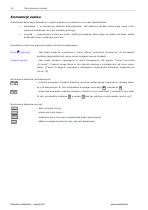
		<b><u>Notation, used in this book</u></b>
		<p/>
		<span>
			Explains, how the keyboard shortcuts and mouse buttons are marked in the text.
		</span>
	</td>
</tr>
<tr valign="top">
	<td class="framed" colspan="2">
		<div class="subheader">Your first model</div>
		<p/>
		<div>
		This part bears such name, because this book is intended mostly for the novices. 
		Do not take it too seriously. If you already know Bednder, just skip what you know, and read
		the rest. I am sure, that you still can find an interesting fragment, here. 
		</div>
	</td>
</tr>
<tr align="center">
	<td class="framed" valign="top">
		<A href="downloads/wm/02_intro.pdf" title="download 02_intro.pdf file (10.2 MB)">
			<IMG src="images/wm/chapter01.png" align="center" />
		</A>
	</td>
	<td class="framed" align="left" valign="top">
		<b><u>Rozdział (Chaper) 1. Preparation of the environment</u></b>
		<p/>
		<span>
			Short description of the installation of required software — GIMP, Inkscape and 
			Blender — on a computer with Windows. (Most of the potential readers use this system, I suppose.) 
		</span>
	</td>
</tr>
<tr align="center">
	<td class="framed" valign="top">
		<A href="downloads/wm/02_intro.pdf" title="download 02_intro.pdf file (10.2 MB)">
			<IMG src="images/wm/chapter02.png" align="center" />
		</A>
	</td>
	<td class="framed" align="left" valign="top">
		<b><u>Rozdział (Chapter) 2. Preparation of the blueprints</u></b>
		<p/>
		<span>
			Some suggestion about the sources of good scale drawinwgs. 
			Describes, how to transform them from the printed pages into 
			raster images, prepared for the use in Blender. 
			Simulatously, the reader learns GIMP. 
			<p/>
			In this chapter I have shown basic verification of the scale drawings. 
			You can find more advanced method in the appendices part, Rozdział (Chapter) 9.		
		</span>
	</td>
</tr>
<tr align="center">
	<td class="framed" valign="top">
		<A href="downloads/wm/02_intro.pdf" title="download 02_intro.pdf file (10.2 MB)">
			<IMG src="images/wm/chapter03.png" align="center" />
		</A>
	</td>
	<td class="framed" align="left" valign="top">
		<b><u>Rozdział (Chapter) 3. Blender - first steps</u></b>
		<p/>
		<span>
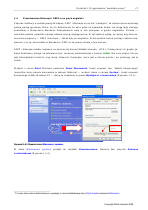
			Introduction to Blender for absolute beginners.
			<br/>
			I have tried to avoid screens with trivial content, like default Blender cubes or spheres. 
			The reader could get bored with them. I teach the Blender basic on examples of ready model 
			(La-5), attached to this book. 
			The Blender interface, 3D View navigation and basic object transformations - 
			translation, rotation, scale - are described here. 
			I have shown also, how to use cameras. Chapter ends with rendering of the scene with La-5 in flight. 		
		</span>
	</td>
</tr>
<tr align="center">
	<td class="framed" rowspan="2" valign="top">
		<A href="downloads/wm/03_model01.pdf" title="download 03_model01.pdf file (10.6 MB)">
			<IMG src="images/wm/chapter04.png"  align="center" />
		</A>
	</td>
	<td class="framed" rowspan="2" align="left" valign="top">
		<b><u>Rozdział (Chapter) 4. Shaping the airplane</u></b>
		<p/>
		<span>
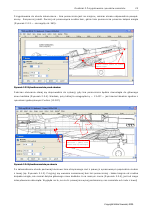
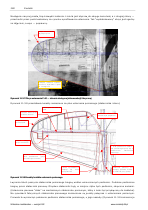
			The longest chapter of this book. Shows, mesh after mesh, how to shape 
			P-40. Components of II WW fighters were all shaped in similar fashion, so you can
			use these methods for the other planes. 
			<br/>
			It starts with the simplest case - the spinner, which is described in all details. 
			(This is the level appropriate for the novices). Then the description gradually 
			passes to more difficult elements, setting up the steady learning curve. 
			<p/>
			The final product of this chapter is the airplane, containg all important elements.		
		</span>
	</td>
	<td class="framed"><A href="downloads/wm/03_model01.pdf">03_model01.pdf</A></td>
	<td class="framed right">10.6 MB</td>
</tr>
<tr align="center">
	<td class="framed"><A href="downloads/wm/04_model02.pdf">04_model02.pdf</A></td>
	<td class="framed right">15.6 MB</td>
</tr>
<tr align="center">
	<td class="framed" valign="top">
		<A href="downloads/wm/05_textures.pdf" title="pobierz plik 05_textures.pdf (17.3 MB)">
			<IMG src="images/wm/chapter05.png"  align="center" />
		</A>
	</td>
	<td class="framed" align="left" valign="top">
		<b><u>Rozdział (Chapter) 5. Composition of the simplest scene</u></b>
		<p/>
		<span>
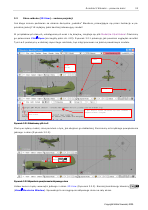
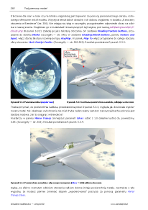
			Introduction to materials in Blender. Covering whole model
			with imitation of polished aluminum skin, for the beginig. 
			<p/>
			Creation of typical flight scene: background setup, lights and cameras. 
			Finally we will obtain the first, preliminary rendering of the model.
		</span>
	</td>
	<td class="framed" rowspan="2"><A href="downloads/wm/05_textures.pdf">05_textures.pdf</A></td>
	<td class="framed right" rowspan="2">17.3 MB</td>
</tr>
<tr align="center">
	<td class="framed" valign="top">
		<A href="downloads/wm/05_textures.pdf" title="pobierz plik 05_textures.pdf (17.3 MB)">
			<IMG src="images/wm/chapter06.png"  align="center" />
		</A>
	</td>
	<td class="framed" align="left" valign="top">
		<b><u>Rozdział (Chapter) 6. Textures</u></b>
		<p/>
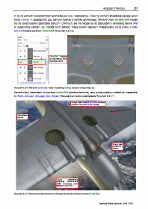
		<span>
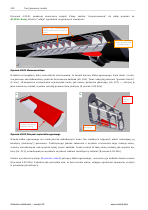
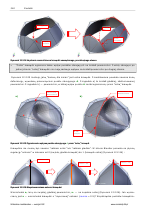
			Introduction to Blender textures, on the example of panel edges and rivets of the fin. 
			Explanation of the UV space and unwrappings. Unwrapping of all model surfaces to common UV area. 
			<p/>
			Bump maps and their use in modelling details of the airplane skin.
			<p/>
			Color textures: camuflage, markings. 
			<p/>
			A texture that creates holes (modulating the alpha value) is also presented.		</span>
	</td>
</tr>
<tr align="center">
	<td class="framed" valign="top">
		<A href="downloads/wm/06_details.pdf" title="pobierz plik 06_details.pdf (12.8 MB)">
			<IMG src="images/wm/chapter07.png"  align="center" />
		</A>
	</td>
	<td class="framed" align="left" valign="top">
		<b><u>Rozdział (Chapter) 7. Remaining details</u></b>
		<p/>
		<span>
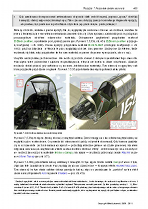
		Creation of the main landing gear, tail wheel, and basic cockpit "furniture". 
		Composition of the pilot figure ("a standard one" is delivered with	this book, 
		together with other files).
		</span>
		<p/>
		<span>
		Application of <em>constraints</em> to build the trajectory of the rudder, elevator, 
		ailerons, flaps, and landing gear. (A kind of "virtual mechanism" is created, this way). 
		Usage of universal control panel (a Python script) to easily handle all these moveable parts.  
		</span>
	</td>
	<td class="framed" rowspan="2"><A href="downloads/wm/06_details.pdf">06_details.pdf</A></td>
	<td class="framed right" rowspan="2">12.8 MB</td>
</tr>
<tr align="center">
	<td class="framed" valign="top">
		<A href="downloads/wm/06_details.pdf" title="pobierz plik 06_details.pdf (12.8 MB)">
			<IMG src="images/wm/chapter08.png"  align="center" />
		</A>
	</td>
	<td class="framed" align="left" valign="top">
		<b><u>Rozdział (Chapter) 8. Composition and rendering of the scene</u></b>
		<p/>
		<span>
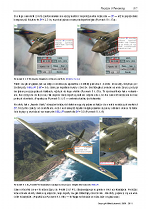
		The composition and rendering of the scene in the flight. "Rotating" the propeller.
		An example of the integration with ground photo (scene on the aerodrome). Placing the
		model (and its shadow!) on the real picture. 
		</span>
	</td>
</tr>
<tr valign="center" align="center">
	<td class="framed" valign="top" align="left" colspan="2">
		<div class="subheader">Appendices</div>
		<p/>
		<div>
		Here I describe with more details some subjects, which were just "touched" in the first part of this book. 
		</div>
		<p/>
	</td>
	<td class="framed" rowspan="3"><A href="downloads/wm/07_appendix.pdf">07_appendix.pdf</A></td>
	<td class="framed right" rowspan="3">7.7 MB</td>
</tr>
<tr align="center">
	<td class="framed" valign="top">
		<A href="downloads/wm/07_appendix.pdf" title="download 07_appendix.pdf file (7.7 MB)">
			<IMG src="images/wm/chapter09.png"  align="center" />
		</A>
	</td>
	<td class="framed" align="left" valign="top">
		<b><u>Rozdział (Chapter) 9. Detailed verification of the scale drawings</u></b>
		<p/>
		<span>
			People make mistakes, so even in the best blueprint of the airplane you can find 
			an error. This chpater shows the advanced methods of verification, which can be applied
			to the scale drawings.
			<p/>
			<small>These methods you can use also to compile new, better drawings from the collected 
			material. (If you would like to start create such things)
			</small>
		</span>
	</td>
</tr>
<tr align="center">
	<td class="framed" valign="top">
		<A href="downloads/wm/07_appendix.pdf" title="download plik 07_appendix.pdf file (7.7 MB)">
			<IMG src="images/wm/chapter10.png"  align="center" />
		</A>
	</td>
	<td class="framed" align="left" valign="top">
		<b><u>Rozdział (Chapter) 10. Additional explanations</u></b>
		<p/>
		<span>
		<li>structure of the Blender drawing (file). After this reading you will know the meaning of magic words in 
		Blender labels and messages (<em>datablock</em>, for example);</li>
		<li>how the subdivision surfaces "are calculated". I describe their properties, which are implied 
		from this math model. Some of them have a great importance in the practice. 
		<small>(My engineering education reveals this way: you should always know the properties of the material, 
		used in your design!)</small>;</li>
		<li>cross sections of the wings, tailplanes and propellers. Explanation, why this shape is so 
		important. Useful links to sites with geometric data of the airfoils.</li>			
		<li>panoramas of the scene environment, in Blender. Explanation, how and when to use the HDR 
		and normal images for the environment textures. Some practical tips about them.</li>
		<li>color math. Explanation, how colors are represented in computer graphics (R,G,B,A), 
		and how various "mixing modes" work</li>			
		<li>true colors of the airplane. Introduction to discovering real tones of historic paints</li>			
		</span>
	</td>
</tr>
<tr valign="center" align="center">
	<td class="framed" valign="top" align="left" colspan="2">
		<div class="subheader">Details of the program commands</div>
		<p/>
		<div>
		This is a "reference" part. Here I have collected detailed description of the commands, used in the
		first part. Treat it as an additional help file. 
		</div>
		<p/>
	</td>
	<td class="framed" rowspan="2"><A href="downloads/wm/08_gimp.pdf">08_gimp.pdf</A></td>
	<td class="framed right" rowspan="2">8.0 MB</td>
</tr>
<tr align="center">
	<td class="framed" valign="top">
		<A href="downloads/wm/08_gimp.pdf" title="download 08_gimp.pdf file (8.0 MB)">
			<IMG src="images/wm/chapter11.png"  align="center" />
		</A>
	</td>
	<td class="framed" align="left" valign="top">
		<b><u>Rozdział (Chapter) 11. GIMP - usage details</u></b>
		<p/>
		<span>
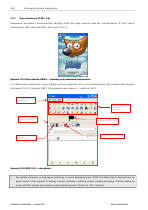
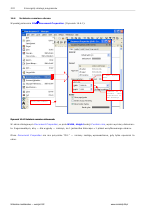
			Introduction to GIMP, and description of the commands, used to create this model.
 		</span>
	</td>
</tr>
<tr align="center">
	<td class="framed" valign="top">
		<A href="downloads/wm/09_inkscape.pdf" title="download 09_inkscape.pdf file (7.7 MB)">
			<IMG src="images/wm/chapter12.png"  align="center" />
		</A>
	</td>
	<td class="framed" align="left" valign="top">
		<b><u>Rozdział (Chapter) 12. Inkscape - usage details</u></b>
		<p/>
		<span>
			Introduction to Inkscape, and description of the commands, used to create this model.
 		</span>
	</td>
	<td class="framed"><A href="downloads/wm/09_inkscape.pdf">09_inkscape.pdf</A></td>
	<td class="framed right">7.7 MB</td>
</tr>
<tr align="center">
	<td class="framed" valign="top">
		<A href="downloads/wm/10_blender.pdf" title="download 10_blender.pdf file (17.4 MB)">
			<IMG src="images/wm/chapter13.png"  align="center" />
		</A>
	</td>
	<td class="framed" align="left" valign="top">
		<b><u>Rozdział (Chapter) 13. Blender - general commands</u></b>
		<p/>
		<span>
			Introduction to Blender is placed in the first part of the book, so it is skipped here. 
			In this chapter I have placed Blender commands, which are mode-independent. 
		</span>
	</td>
	<td class="framed" rowspan="3"><A href="downloads/wm/10_blender.pdf">10_blender.pdf</A></td>
	<td class="framed right" rowspan="3">17.4 MB</td>
</tr>
<tr align="center">
	<td class="framed" valign="top">
		<A href="downloads/wm/10_blender.pdf" title="download 10_blender.pdf file (17.4 MB)">
			<IMG src="images/wm/chapter14.png"  align="center" />
		</A>
	</td>
	<td class="framed" align="left" valign="top">
		<b><u>Rozdział (Chapter) 14. Blender - Object Mode commands</u></b>
		<p/>
		<span>
			Introduction to <em>Object Mode</em>. 
			Description of the commands, used to create this model. 
			(The commands that create the new objects, in particular).	
		</span>
	</td>
</tr>
<tr align="center">
	<td class="framed" valign="top">
		<A href="downloads/wm/10_blender.pdf" title="download 10_blender.pdf file (17.4 MB)">
			<IMG src="images/wm/chapter15.png"  align="center" />
		</A>
	</td>
	<td class="framed" align="left" valign="top">
		<b><u>Rozdział (Chapter) 15. Blender - Edit Mode commands</u></b>
		<p/>
		<span>
			Introduction to <em>Edit Mode</em>. 
			Description of the commands, used to create this model. 
		</span>
	</td>
</tr>
<tr align="center">
	<td class="framed" valign="top">
		<A href="downloads/wm/11_blender.pdf" title="download 11_blender.pdf file (10.6 MB)">
			<IMG src="images/wm/chapter16.png"  align="center" />
		</A>
	</td>
	<td class="framed" align="left" valign="top">
		<b><u>Rozdział (Chapter) 16. Blender - UV editor</u></b>
		<p/>
		<span>
			Introduction to UV editor. Unwrapping commands, used in this model.
		</span>
	</td>
	<td class="framed" rowspan="2"><A href="downloads/wm/11_blender.pdf">11_blender.pdf</A></td>
	<td class="framed right" rowspan="2">10.6 MB</td>
</tr>
<tr align="center">
	<td class="framed" valign="top">
		<A href="downloads/wm/11_blender.pdf" title="download 11_blender.pdf file (10.6 MB)">
			<IMG src="images/wm/chapter17.png"  align="center" />
		</A>
	</td>
	<td class="framed" align="left" valign="top">
		<b><u>Rozdział (Chapter) 17. Blender - other commands</u></b>
		<p/>
		<span>
			Other commands, used in this model. (Materials, lights, renderer, etc.)
		</span>
	</td>
</tr>
<tr align="center">
	<td class="framed" valign="top">
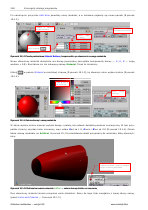
		<A href="downloads/wm/12_others.pdf" title="download 12_others.pdf file (0.3 MB)">
			<IMG src="images/wm/glossary.png" width="50%" align="center" />
		</A>
	</td>
	<td class="framed" align="left" valign="top">
		<b><u>Index</u></b>
		<p/>
		<span>
		Added just because it appears in the other books.
		</span>
	</td>
	<td class="framed" rowspan="3"><A href="downloads/wm/12_others.pdf">12_others.pdf</A></td>
	<td class="framed right" rowspan="3">0.3 MB</td>
</tr>
<tr align="center">
	<td class="framed" valign="top">
		<A href="downloads/wm/12_others.pdf" title="download 12_others.pdf file (0.3 MB)">
			<IMG src="images/wm/dict.png" width="50%" align="center" />
		</A>
	</td>
	<td class="framed" align="left" valign="top">
		<b><u>Dictionary of the graphics terms</u></b>
		<p/>
		<span>
			Some terms, which a traditional (aircraft) modeller can not know. 
			(If he has previously no special interest in computer graphics.)		
		</span>
	</td>
</tr>
<tr align="center">
	<td class="framed" valign="top">
		<A href="downloads/wm/12_others.pdf" title="download 12_others.pdf file (0.3 MB)">
			<IMG src="images/wm/biblio.png" width="50%" align="center" />
		</A>
	</td>
	<td class="framed" align="left" valign="top">
		<b><u>Bibliography</u></b>
		<p/>
		<span>
		</span>
	</td>
</tr>
<tr align="center">
	<td class="framed bottom" valign="top">
		<A href="downloads/wm/13_license.pdf" title="download 13_license.pdf file (0.3 MB)">
			<IMG src="images/wm/license.png"  align="center" />
		</A>
	</td>
	<td class="framed bottom" align="left" valign="top">
		<b><u>Creative Commons rules for this publication</u></b>
		<p/>
		<span>
		Full text of publication rules for this e-book.
		</span>
	</td>
	<td class="framed bottom"><A href="downloads/wm/13_license.pdf">13_license.pdf</A></td>
	<td class="framed bottom right">0.3 MB</td>
</tr>
</table>
</div>
</body>