<?xml version='1.0' encoding='utf-8' ?>
<?xml-stylesheet type="text/xsl" href="header_e.xsl" ?>
<body PageTitle="Deprecated materials" PageHeader="Tutorials" Updated="2012-08-19" FName="tutorials-000">
<div>
<p>
Here you can find here some stuff that I wrote for Blender 2.4. Maybe you will find something interesting here? (Blender 2.5 was rewritten anew, nearly from scratch. It has a very different UI and API. The introduction of version 2.5 [2011] had broken the add-on compatibility. Fortunately, since that time there was no such "revolution").
</p>
</div>

<div class="subheader">Add-ons</div>
<div class="left500" style="max-width:330px;margins:auto;">
<A href="scripts-000_e.xml" title="click to read more...">
	<IMG class="image300" style="max-width:300px;" src="images/tutorials/020/image51.png" align="center" />
</A>
</div>
<div>
<p>
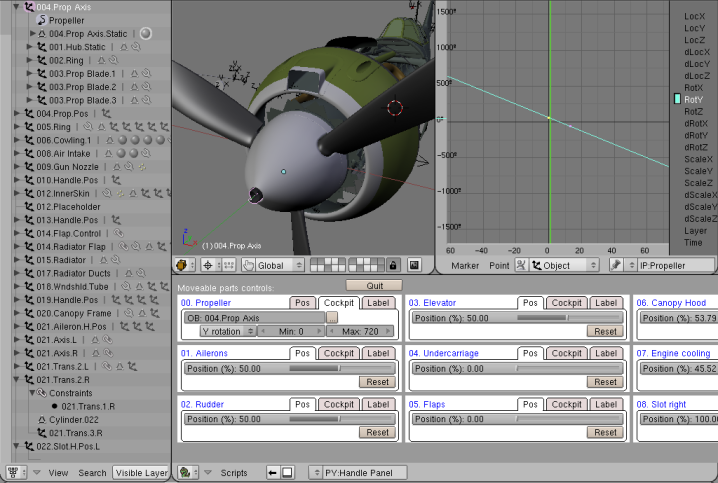
Here you will find some scripts (add-ons), which I used in my modelling. All of them are Blender extensions, written in Python <small>(for the newbies: it is name of the script programming language, not the snake!)</small>  
Click <a href="scripts-000_e.xml">here</a>, or on the picture, 
to read more and download these solutions. 
</p>
</div>
<divf/>
<div class="subheader">Vector textures</div>
<div class="left500" style="max-width:330px;margins:auto;">
<A href="scripts-svgtex1_e.xml" title="click to read more...">
	<IMG class="image300" style="max-width:300px;" src="images/tutorials/svgtex.png" align="center" />
</A>
</div>
<div>
<p>
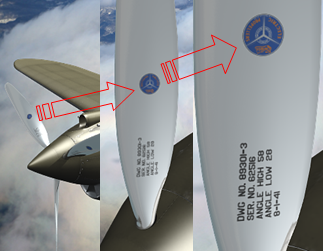
Description of a Blender 2.4 plugin, which let you use the vector SVG files as textures. Useful in case of renders from short distance. 
Click <a href="scripts-svgtex1_e.xml">here</a>, or on the picture, to read more about it.  
</p>
</div>
<divf/>
<div class="subheader">How to place an airplane on a grass airfield</div>
<div class="left500" style="max-width:330px;margins:auto;">
<A href="tutorials-010_e.xml" title="click to read more...">
	<IMG class="image300" style="max-width:300px;" src="images/tutorials/010/image36.png" align="center" />
</A>
</div>
<div>
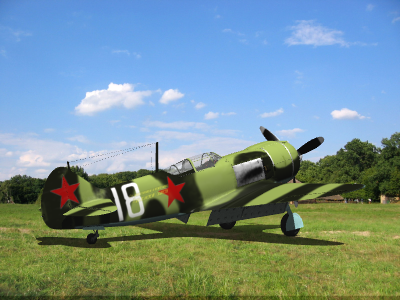
<p>This tutorial shows, how compose a rendering of airplane standing on the ground 
with a photo of grass airfield.
Click <a href="tutorials-010_e.xml">here</a>, or on the picture, to read more about this solution.  
</p>
</div>
<div>
<p>&#160;</p>
</div>
</body>
