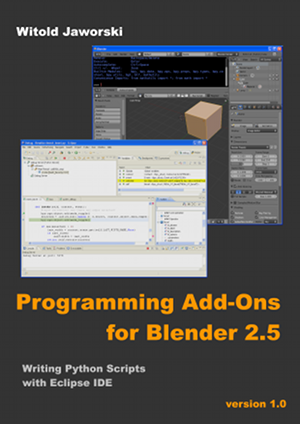
Download the book: pydev-blender-en.pdf (version 1.0, size: 7 MB).
Notice: The link above contains a direct address of the PDF file. To save it on your hard disk, click it with right mouse button,
to open context menu of your web browser. Select Save Target As... command from there. (checked with: IE, Firefox)
"Programming..." it is an e-book, published freely on Creative Commons license. I am showing there, how to adapt popular Open Source IDE - Eclipse - for developing Blender scripts.
This is merely an introduction to this subject. It is intended for the readers familiar with Python and Blender 2.5 on the average level, at least. I am describing here the methods, used to learn Blender API and how to find the way to implement desired operation.
The first edition of this book was finished on July 2011. It counts 134 pages and contains about 300 pictures.
(It is written around the pictures, like a "comic book").
The files, attached to this publication:
- pydev-blender.zip (423 KB): autocompletion files for the most Blender API classes, and the script, which generates them;
- mesh-bevel.zip (3 KB): final version of the exemplary add-on. Its development is described in this book.
This book is compatible with Blender 2.57 and its next versions. The presented information is still valid (when I am writing it, the current Blender version is 2.63).
The example described here - a script that implements the "Bevel" command - in Blender 2.63 became slightly "academic", because this Blender
version already contains the standard "Bevel" command. While reading this booklet, take a look at the updates / comments below.
Page 39, Figue 3.2.2: If you are using a different operating system than Windows, do not place the pydev_debug.py file in the root folder of Blender.
Unpack it to any directory that appears in your sys.path list, instead. (To read its contents, open the Blender Python Console and evaluate
the sys.path expression there).
Page 52: since Blender 2.66 you have to enable in the Outliner the Store Edge Bevel Weight flag before setting the Bevel Weight values.
(Note, that there is also similar flag for the vertex bevel weights: Store Vertex Bevel Weight).
Page 55, Figure 3.3.18: since Blender 2.66 you have to place following statement before the loop:
mesh.use_customdata_edge_bevel = True
It corresponds to setting the "Store Vertex Bevel Weight" flag in the Outliner. (If you wish to implement vertex beveling, enable also another flag: use_customdata_veretx_bevel).
Page 58, Figure 3.2.2: in the newer PyDev versions the *.debug_<PyDev version> folder does not exists.
You have to use as the PYDEV_PATH value a path to the folder containing its pydevd module.
Identify it using the file search tools available in your system (look for the folder that contains the pydevd.py file.
It will be one of the PyDev folders).
Page 75, Figure 4.1.2: Because the standard Bevel command finally appeared in Blender 2.63, use a different name for the operator implemented
(attribute bl_idname = "mesh.mbevel" instead of "mesh.bevel").
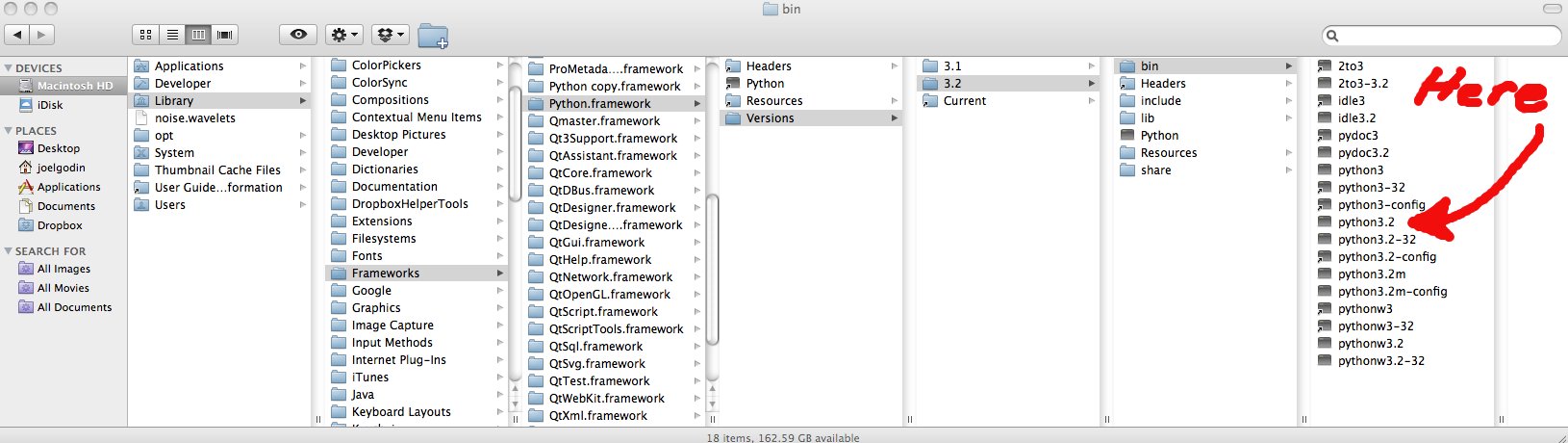
For the Mac users: if you have problem finding the external Python interpreter on your computer, here is the picture of its path.
Do not apply one of the "tricks" described on the Blender API tips and tricks page:
do not place the standalone Python (i.e. downoladed from python.org) in place (folders) of the internal Python from Blender. (When you replace it, the PyDev debugger will not work properly). Always install the external Python interpreter into a different folder.
In Windows 7 and newer you have to alter user rights to your Blender directory. Give the built-in Users group read/write access to "Blender" directory.(By default, they have read-only access to all subdirectries of the "Program Files" directory).
I updated the pydev-bledner.zip file. The script that creates the PyDev predefinition files (*.pypredef) for Blender modules is updated. (These files are used by the code autocompletion feature. In the newest PyDev, *.pypredef files are used as the other Python scripts. To make them work properly, I had to create in the python_api/pypredef folder apropriate subdirectories for the bpy, mathutils, bmesh modules. I also fixed the bug that occured when user tried to generate the *.pypredef files for Blender 2.79b).